GRCDesk

Risk & operations

Incident Management

Track, triage, and resolve security incidents with structured intake, assignment, and documentation. GRCDesk supports ISO 27001 incident response controls — from reporting and playbooks to evidence, timeline, and lessons learned.

Product preview

Inside the workspace

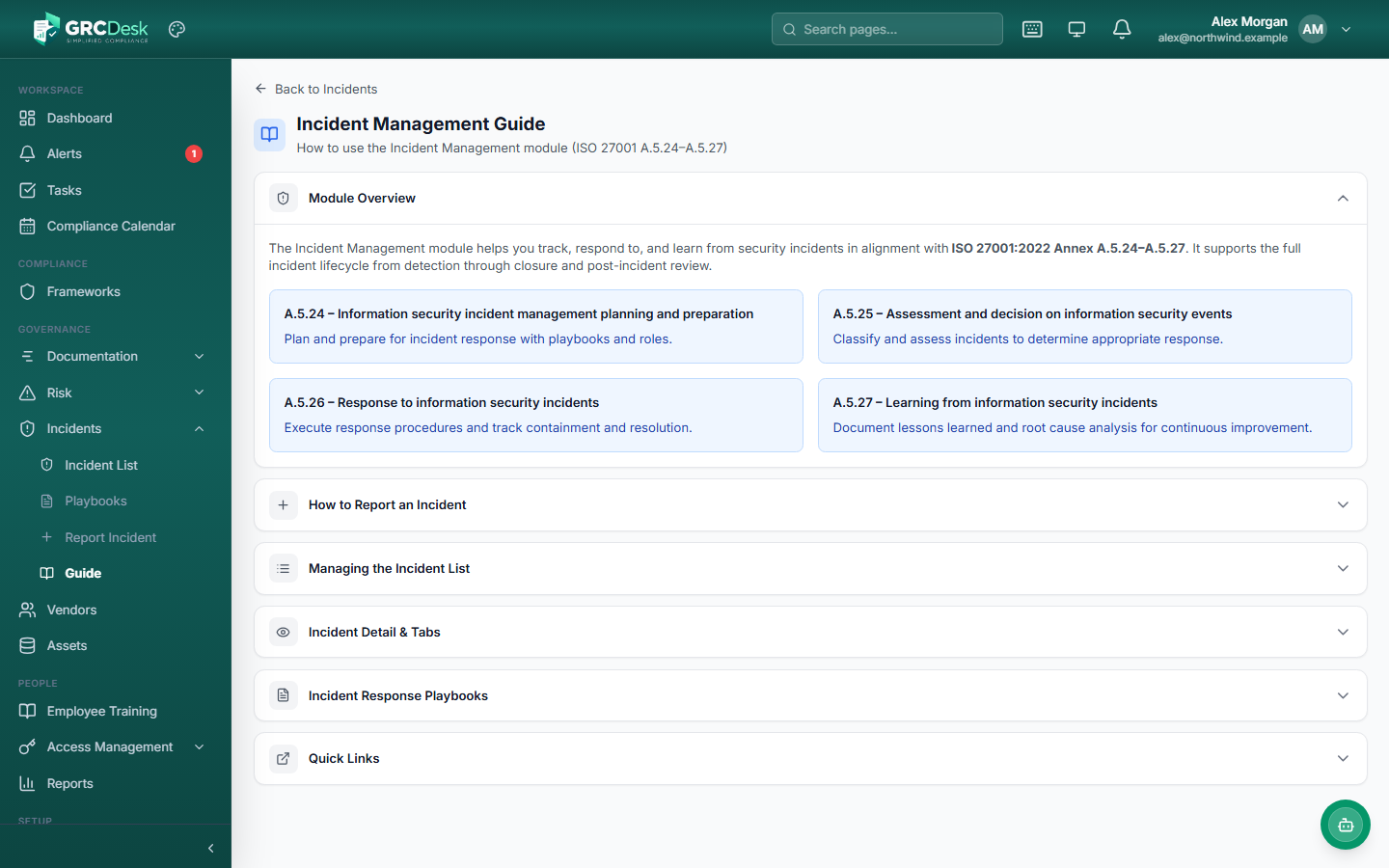
Switch between the incident list, reporting form, and module guide — full screenshots with notes on the controls in each view.

Tap a tab to switch views

GRCDesk — Incident list

Incident list screenshot

Incident list

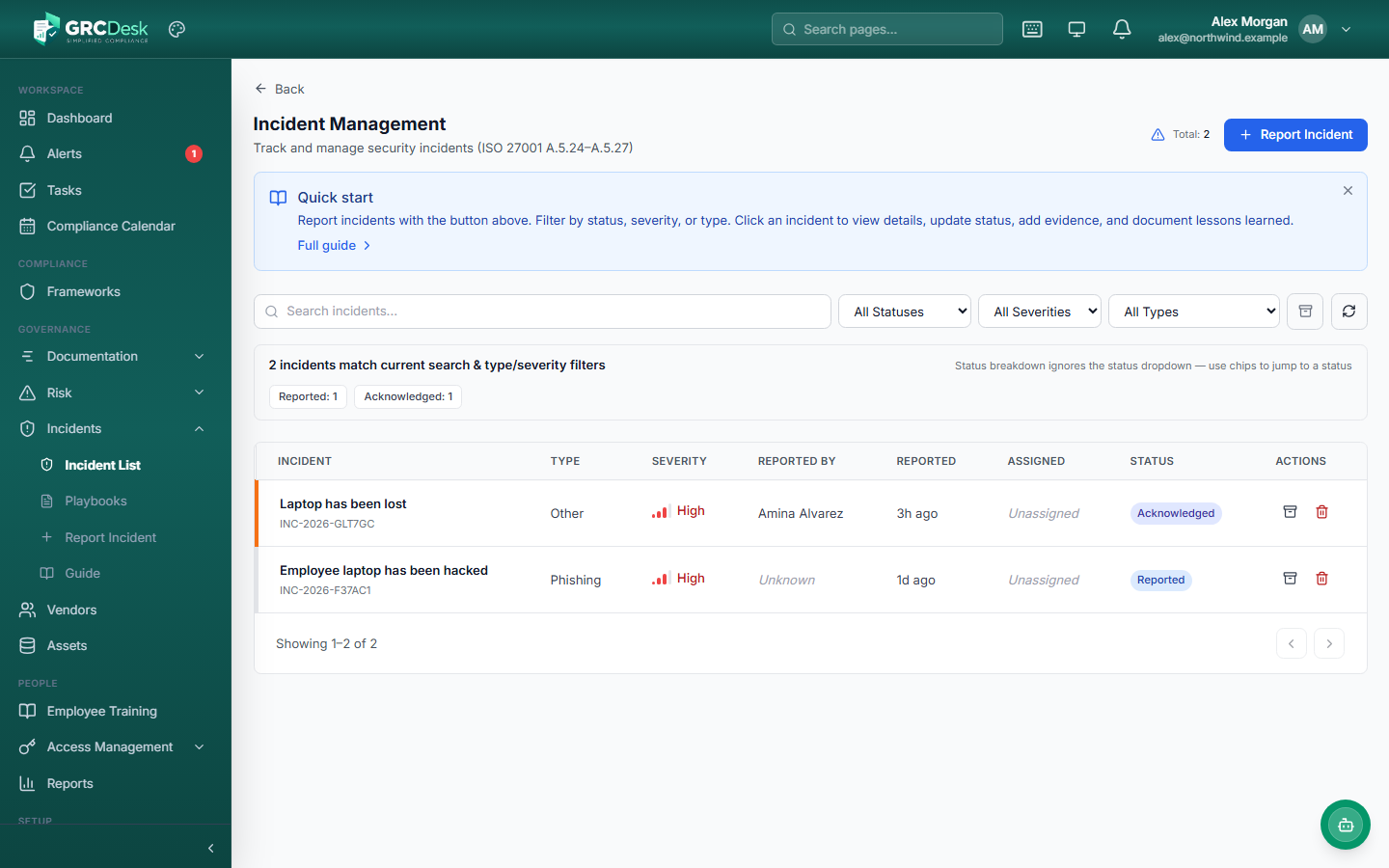
Monitor all reported incidents in one place. Filter by status, severity, and type, then open any record to manage response, evidence, and closure.

In this view

  • Quick-start guidance and link to full module guide
  • Search plus status, severity, and type filters
  • Severity badges and assignment visible in the list
  • Report incident action from the list header

What you can do

Incident Management covers the full lifecycle — from intake and triage to assignment, playbooks, evidence, and ISO-aligned documentation.

Incident list

Central register

View and filter all security incidents across your organization. See severity, status, assignee, and reporting time at a glance.

  • Filter by status, severity, and incident type
  • Search across incident records
  • Open detail view for full response workflow

Available in workspace

Report incident

Structured intake

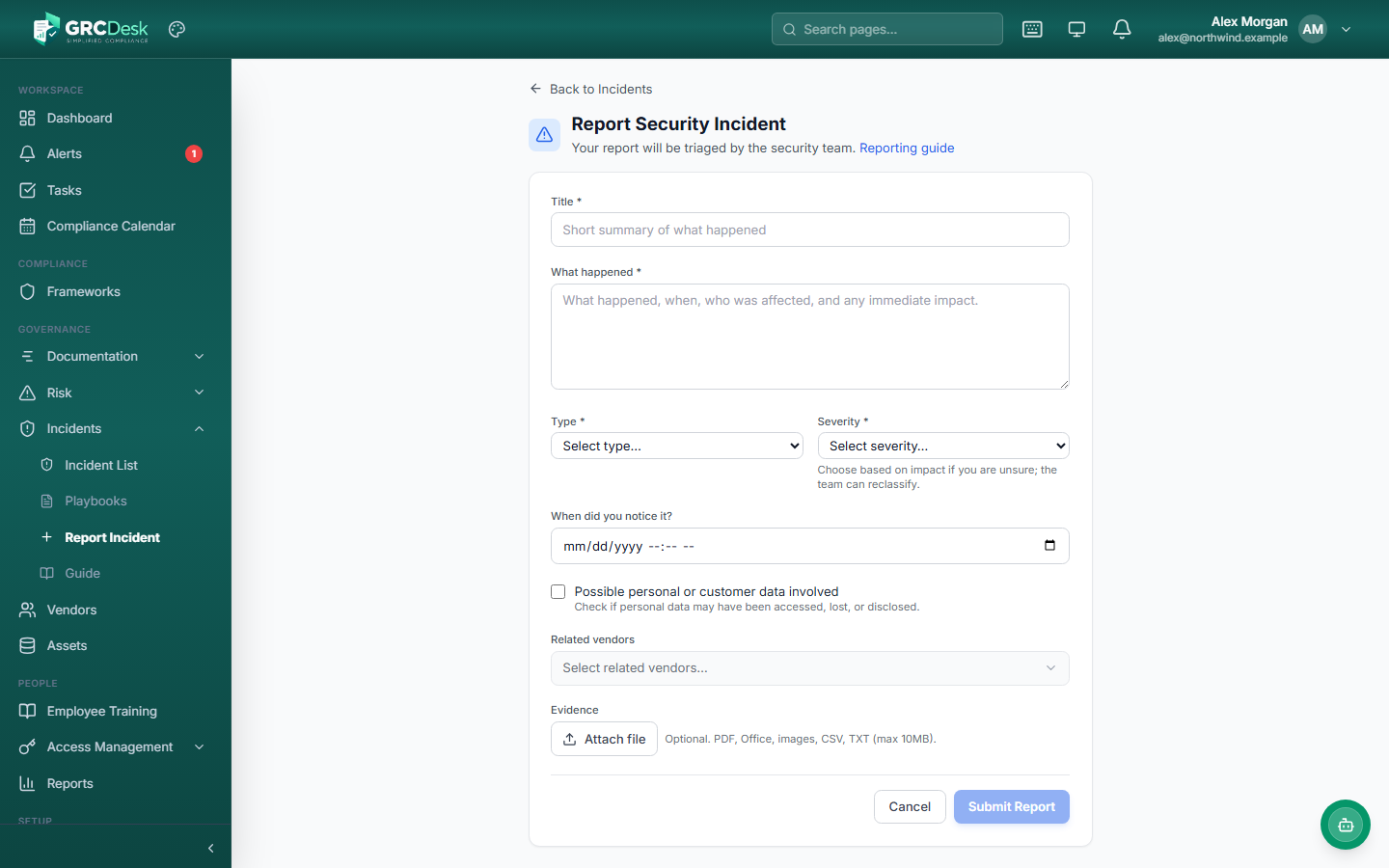
Give employees and administrators a simple form to report suspected security events with the details needed for triage.

  • Title, description, type, and severity fields
  • Routes reports to the security team
  • Supports employee and admin reporting paths

Available in workspace

Classification

Type & severity

Classify incidents by type — malware, phishing, and more — and severity level so responders prioritize the right issues first.

  • Configurable severity bands
  • Incident type taxonomy
  • Filter and report by classification

Available in workspace

Assignment & status

Response workflow

Assign incidents to owners and track progress from open through in-progress to resolved and closed.

  • Named assignee per incident
  • Status workflow with in-progress tracking
  • Timeline of updates and actions

Available in workspace

Response playbooks

Standard procedures

Define step-by-step playbooks for common incident types so teams respond consistently and meet ISO planning requirements.

  • Create playbooks with ordered response steps
  • Active/inactive playbook management
  • Escalation paths and type alignment

Available in workspace

Guide & ISO alignment

A.5.24–A.5.27

In-app guide explains how incident management maps to ISO 27001 controls — from planning and assessment to response and lessons learned.

  • ISO 27001 annex references in the guide
  • Documentation for auditors and new team members
  • Quick links to list, report, and playbooks

Available in workspace

Ready to formalize incident response?

See how GRCDesk connects incident reporting, assignment, playbooks, and ISO-aligned documentation with your broader compliance and security program.

Request a demo